
Within our journey builder, we can now add optional conditional filters that trigger SMS campaigns for specific rules that you can create. To set your conditional filtering parameters, link two campaigns together in our journey builder to bring up a menu that looks like this:
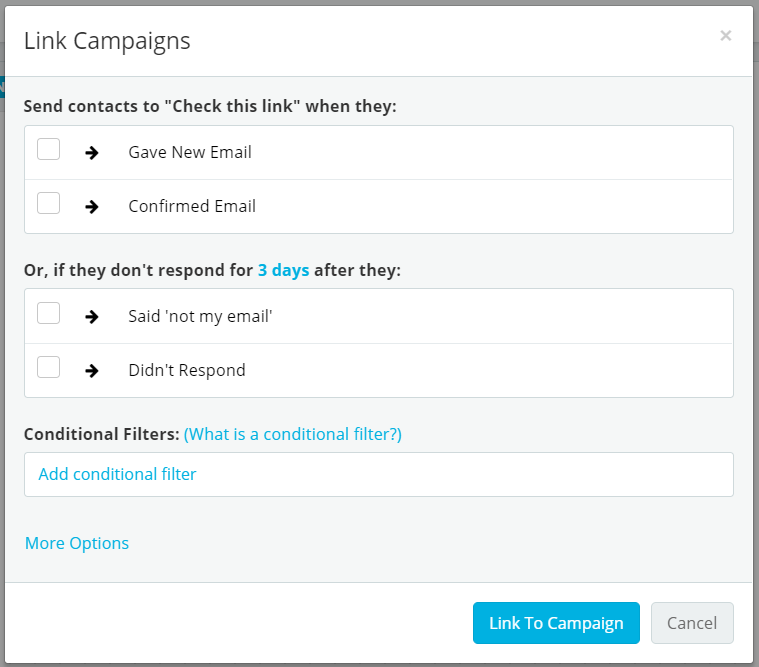
Under the subsection Conditional Filters, you can add filters based on specific values that your campaign fields can have:
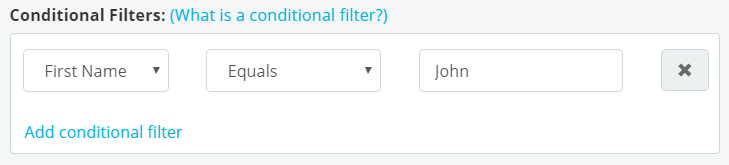
Here, we have set the filter to trigger the next SMS campaign along the journey if the first name of the participant is John. Using the same logic, we can add as many conditions we like:
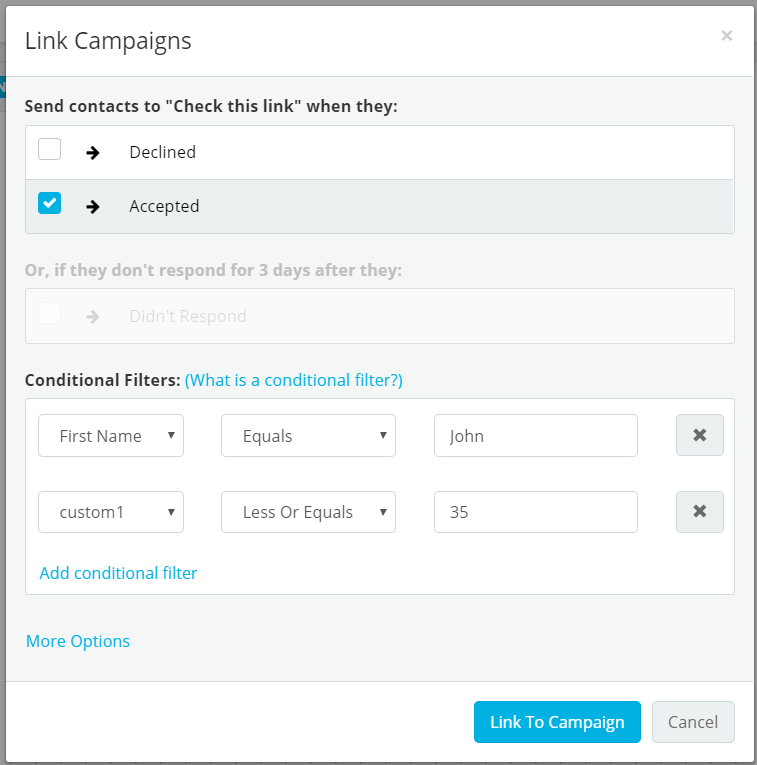
This filter has been set up for an Accept/Decline campaign to trigger only if the participant Accepted, their first name is John and if the custom field that we have specified (custom1) is less than or equal to 35.
Note:
If, for example, you create a journey that has more than one link to a parent SMS campaign like so:
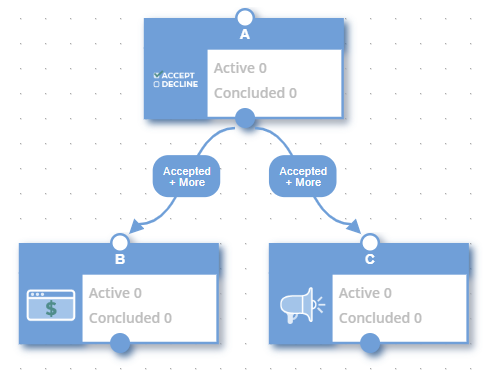
Then be aware that the conditional filters set linking A to B and A to C have to be unique. If they were the same, our gopher would not know which conversation tree to send the participant to.
Additionally, be aware that conditional filters must not be contradictory:
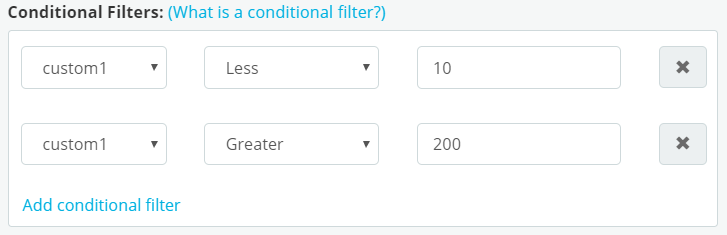
Even though our system will allow you to create such a filter, that condition can never be met therefore the subsequent journey path will not be used. Take care to ensure that your specific conditions are logically valid.
Comments
0 comments
Article is closed for comments.